
- Salesforce
Build proposals from Salesforce records
Create personalized proposals from any Salesforce record in one click. Plus, reduce manual work with automations.
Reduce admin and errors
Automate personalized sales materials, send quotes, collect esignatures and run your perfect proposal process
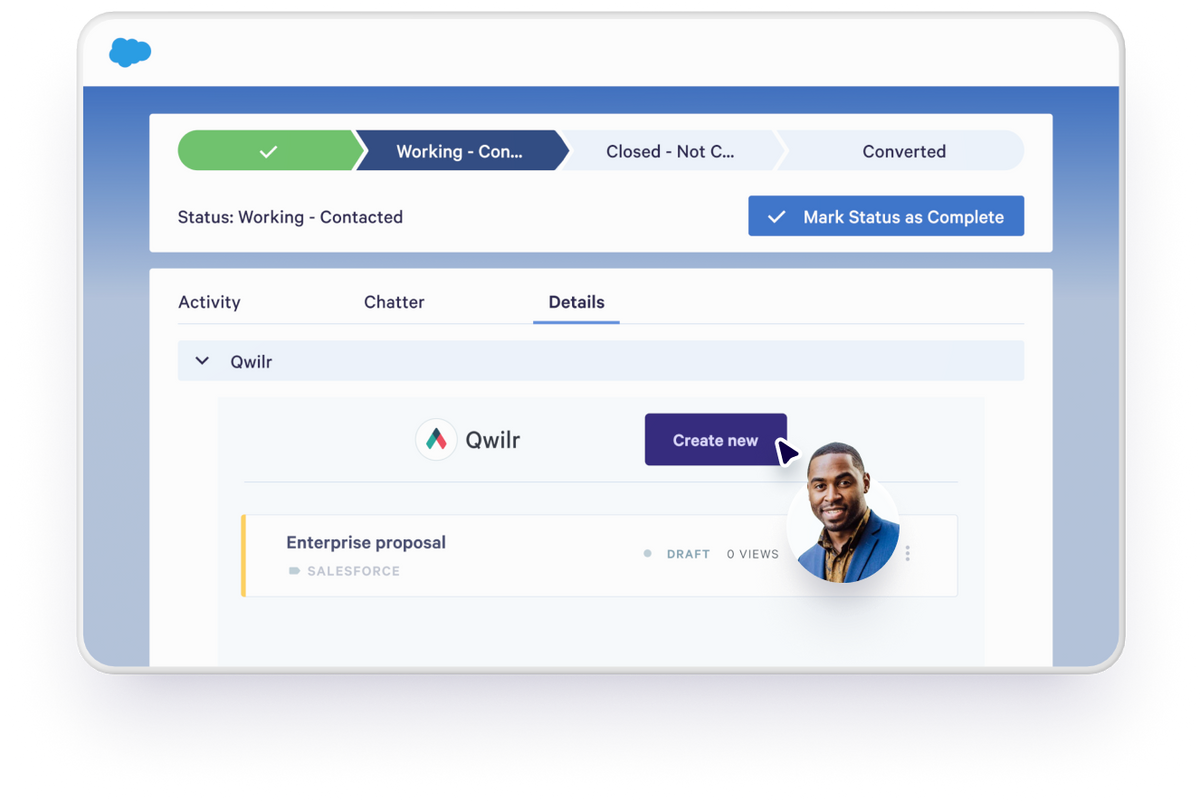
Create personalized sales material in one click from Salesforce
Qwilr’s ready-made templates let sales reps generate proposals instantly without leaving Salesforce.
Personalize every page automatically with data from Opportunity, Account, Contact or Lead records.
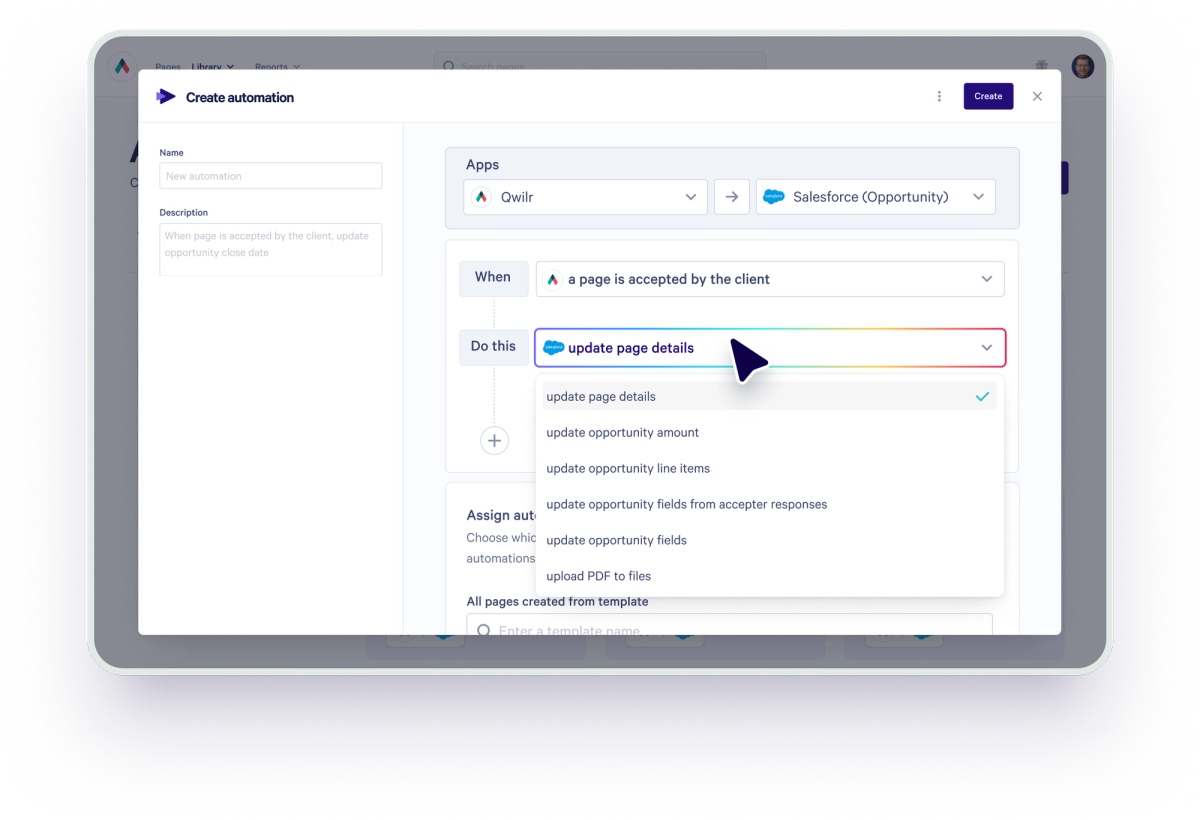
Automatically keep your CRM up to date
Connecting Qwilr and Salesforce allows you to update Opportunity line items – like deal size – without any manual intervention.
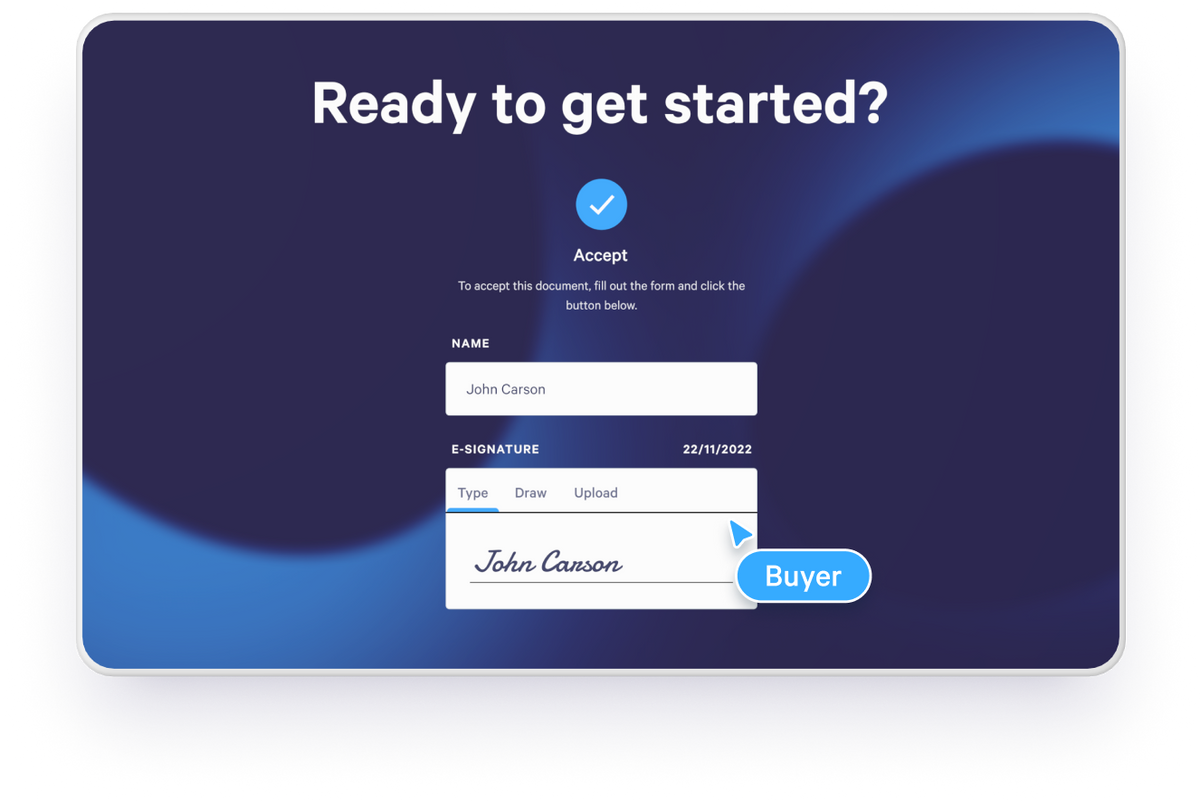
Collect e-signatures and payment
Add legally binding electronic signature fields to proposals for faster approval. Let buyers accept and pay on the spot with the options embedded in the document.
Send a link and track activity within the deal record
Share a link with your buyers, track when they view or accept your document within Salesforce itself. Or, track how they’re engaging with every page using Qwilr’s analytics.
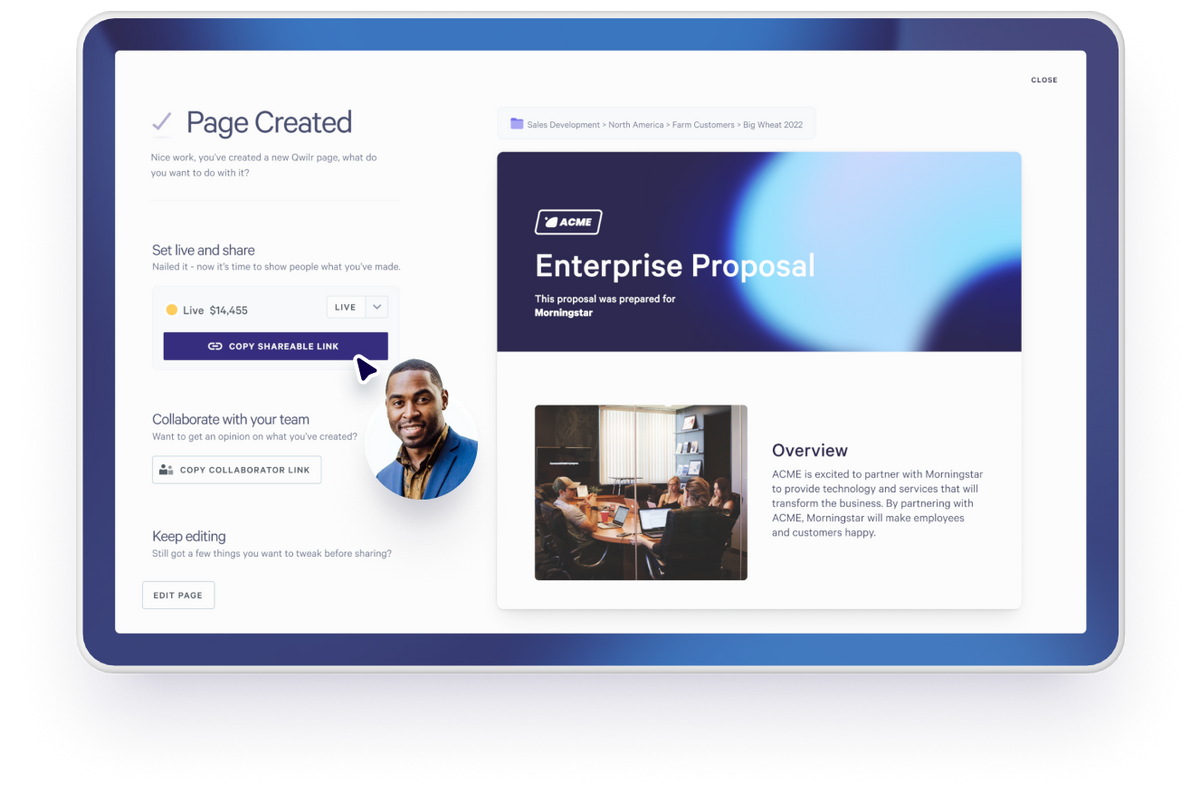
Automate your closed/won admin
Use Qwilr and Salesforce Flows to automate your busywork after the deal is won – like sending onboarding emails, invoices or payment reminders.
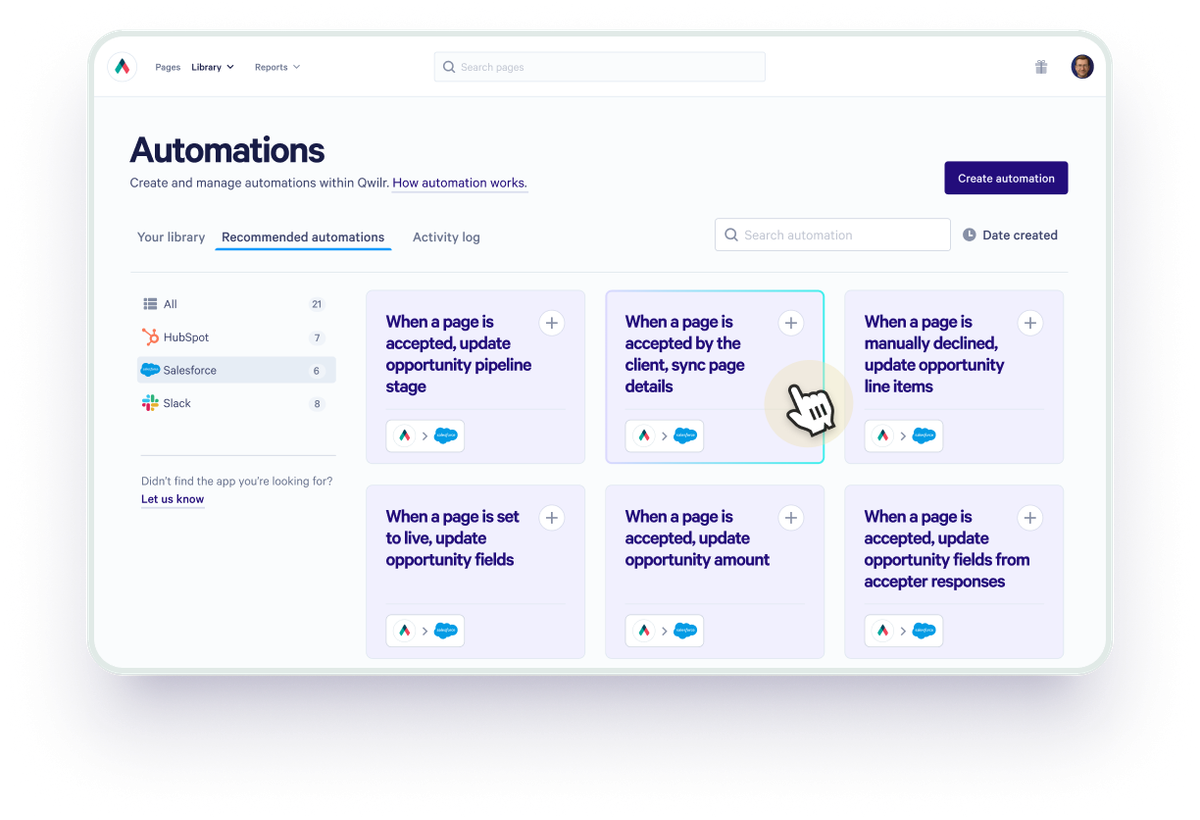
Enhance your Salesforce integration
Connect additional tools to increase your sales velocity.


Get started with Salesforce
Visit our help documentation to connect your Salesforce account to Qwilr and start automating personalized sales material.
Visit how-to guide
Frequently asked questions
Install the Qwilr package in Salesforce, link a Qwilr template to a record type (Opportunity, Account, Contact or Lead), then create a page from the Qwilr Proposals component on that record. Fields from the record fill in automatically. See the setup guide.
The Qwilr Proposals component on each record shows page status, views and links. On Opportunity templates, automations can also update the amount, close date, line items and other Opportunity fields when buyers take action in your proposals, like when they view or accept.
Yes. Products on the Opportunity pull into Qwilr’s quote block, so pricing in the proposal matches Salesforce. Here’s how Price Books work with Qwilr.
Yes. Qwilr proposals are live web pages, so buyers can review, add a legally binding e-signature and pay in one visit, and the result shows on the Salesforce record.