
All product updates
A focus on more intuitive collaboration with your team 💬
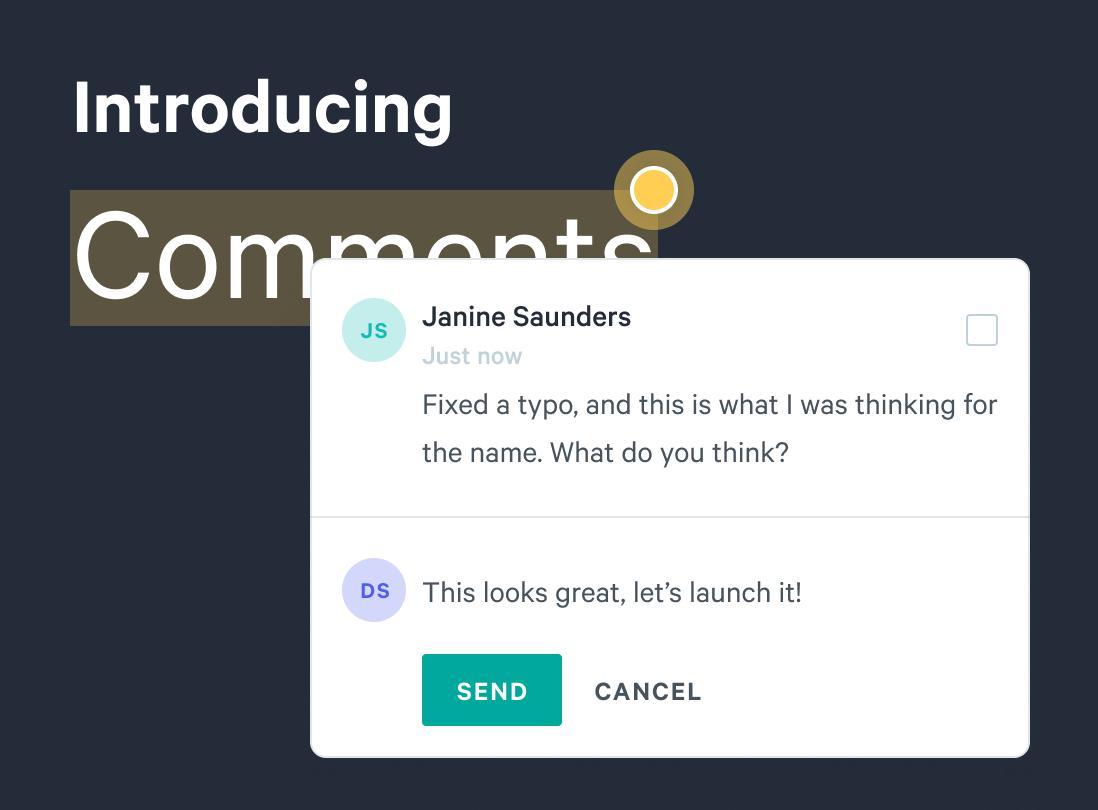
- Introducing Comments: A step towards better collaboration. With Qwilr, your team can work in one spot to refine pitches and add details to important client documents. Sharing feedback internally is the best way to make sure your team is completely aligned—and we've now made it faster to do with comments. Note: We're rolling out this feature in waves to customers over the next few weeks as we make more improvements. You'll be notified once it hits your account.
Here's what you can do:
- Leave comments on text by clicking the 'post comment' button in the toolbar.
- Get viewing information and see who's currently viewing a page. Look out for the initials now appearing in the top right corner of your page.
- Edit your comment by clicking the options menu and then 'edit' and delete your comment by clicking 'delete'
- Anyone can resolve or reply to your comment. Click the yellow marker to open a thread to access these actions.
- Resolve a comment by checking the 'Mark as resolved' box. You can also unresolve a comment to reopen the thread by checking the same box.
- Receive email notifications for all updates, including any replies and resolved comments.
- We've made it easier to add and remove seats from your account under your 'Manage Team' settings page.
Updated
- Adds slide-in transition for comment submission
- Changes to the hover/selected resolved comment marker state
- Added the Shift-Enter keyboard shortcut to submit a comment
- Fixed old project card error when the project had been moved across accounts
- Improving search on Share page to be case insensitive
Fixed
- Fixed credit card summary not showing in the audit trail overlay
- Fixed Google fonts not loading on Brand Setup page
- Bug fix for Quote Line Items which was preventing the toolbar from showing up when highlighting text in the line item description